


FAQs
What are the participating products in the Telfast Cash Back promotion?
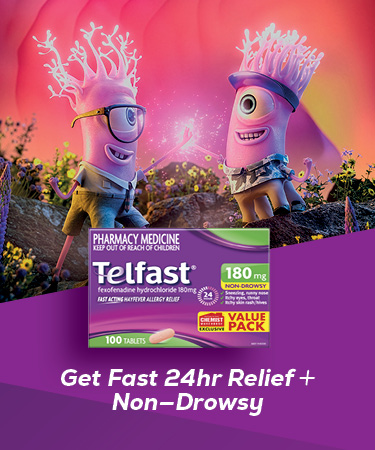
You can claim a Cash Back on Telfast 180mg 100s from Chemist Warehouse purchased between 09/07/26 - 31/12/26.
How much Cash Back will I receive?
Telfast 180mg 100s = $7 Cash Back
When can I make a claim?
Claims can be made at https://www.telfast.com/en-au/cashback
Cash Back claims must be made before 02/01/27 at 11:59 pm AEDT. Late claims will not be accepted.
How many times can I claim a Cash Back?
There is a limit of 1 Cash Back claim per household in the promotion.
Please note Claimants who attempt to use multiple household mailing addresses to claim will be ineligible to claim.
Can I submit a claim by post?
No, all claims must be submitted online at https://www.telfast.com/en-au/cashback.
Mailed claims will not be accepted.
What Proof of Purchase do I need to provide?
You must provide an itemised purchase receipt. The receipt must clearly show the participating product purchased, the store where the product was purchased and the date and time the purchase was made.
How will I receive my money back?
You can nominate to receive the Cash Back to be paid into an Australian bank account, a PayPal account or sent in the form of a Digital Mastercard to the mobile number provided on entry.
Payment method can not be changed after claim submission.
How long will it take to receive my money back?
Once you have submitted your claim it will be validated within 5 business days you will receive an email confirming once this is complete. You will receive an email confirming once payment has been processed.
Where can I find the terms and conditions?
You can find the terms and conditions here.
How do I activate my Mobile Digital Mastercard from Telfast?
- You'll receive an SMS from ‘Vault’ with an activation code.
- Click the link in the text message and you'll be directed to your device's app store to install the Vault Payments app. (Or if you’ve previously installed the Vault Payments app, click the link and go to step 4.)
- Click the option to install and then open the Vault Payments app.
- When prompted enter your mobile number and the activation code from the SMS.
- Read and accept the Vault Payments Terms & Conditions.
- You'll then see your Telfast Mobile Mastercard in the app, and you're ready to add it to your device wallet for in-store or online purchases
For more information on how to activate and use your Digital Mastercard, please see here.
I didn’t receive an email confirming my claim?
Please make sure you check your spam and junk email folders if you have not received an email in your inbox.
Some email providers, such as Microsoft Outlook and Hotmail, can occasionally block or filter automated email, even when they are legitimate and not considered spam. This can sometimes prevent important emails from reaching your inbox. To ensure you receive important updates about your claim, we recommend adding our email address, [email protected], to your Safe Sender or Safe Recipient list. This helps your email provider recognise our messages as trusted and reduces the chance of them being blocked or sent to your junk folder.
If you are unable to locate your claim confirmation email, please Contact Us before 02/01/27 at 11:59 pm AEDT.
I need Further assistance.
For Promotion queries or assistance, please Contact Us and one of our friendly Support Team will endeavour to respond to your query within 2 business days.
For product or Promoter queries, please call 1800 018 605 within Australia, or submit a contact form here.